Organizations
This section only applies to OwlGrid Cloud. Organizations are not supported in the self-hosted version of OwlGrid. Refer to the server documentation for more information.
Introduction
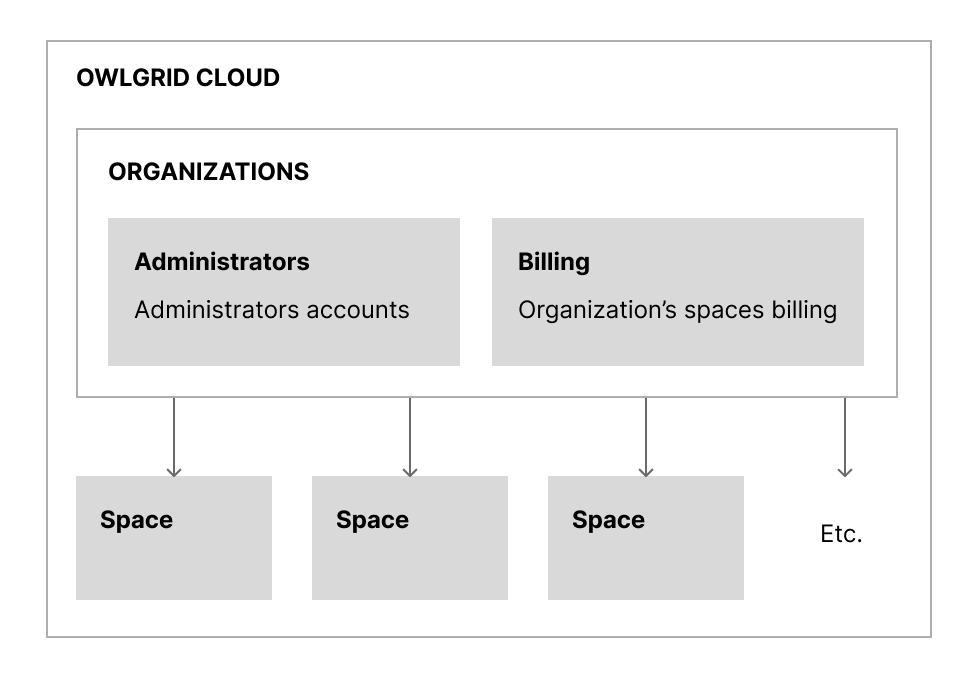
Each workspace is related to an organization. An organization represents an entreprise, an association, etc. It is used to identify the context in wich (workspaces) are used and to bill usage.
Properties
Identifier
The identifier is a unique string that identifies the organization (auto-generated).
Management
Administrators
The organization must have at least one administrator. Administrators can create and delete workspaces, add and remove other administrators and manage the billing.
We recommand to have at least 2 administrators.
Billing
Please, refer to the billing page.
Operations
Create an organization
Go to the signup page and fill the form.
Get organization information
Go to the organization page and click on the organization name.
Update organization
To add or remove administrators, go to the organization page click on the organization name and edit administrators.
To change the name of the organization, go to the organization page click on the organization name and edit the name.
Delete organization
To delete an organization, go to the organization page click on the organization name and click on the delete button.
Note that the workspaces of the organization must have been deleted or attached to another organization before this step.